
Accessibility and VPATs
Section 508 Compliance in eLearning: The VPAT Is Not the Course
Is your accessibility system-enforced or author-dependent?
Section 508 compliance in eLearning is complex. The marketing around it can be even messier. A vendor can have a VPAT, publish impressive demos, and say its product can be used to create accessible courses — while still leaving the actual accessibility burden on every author.
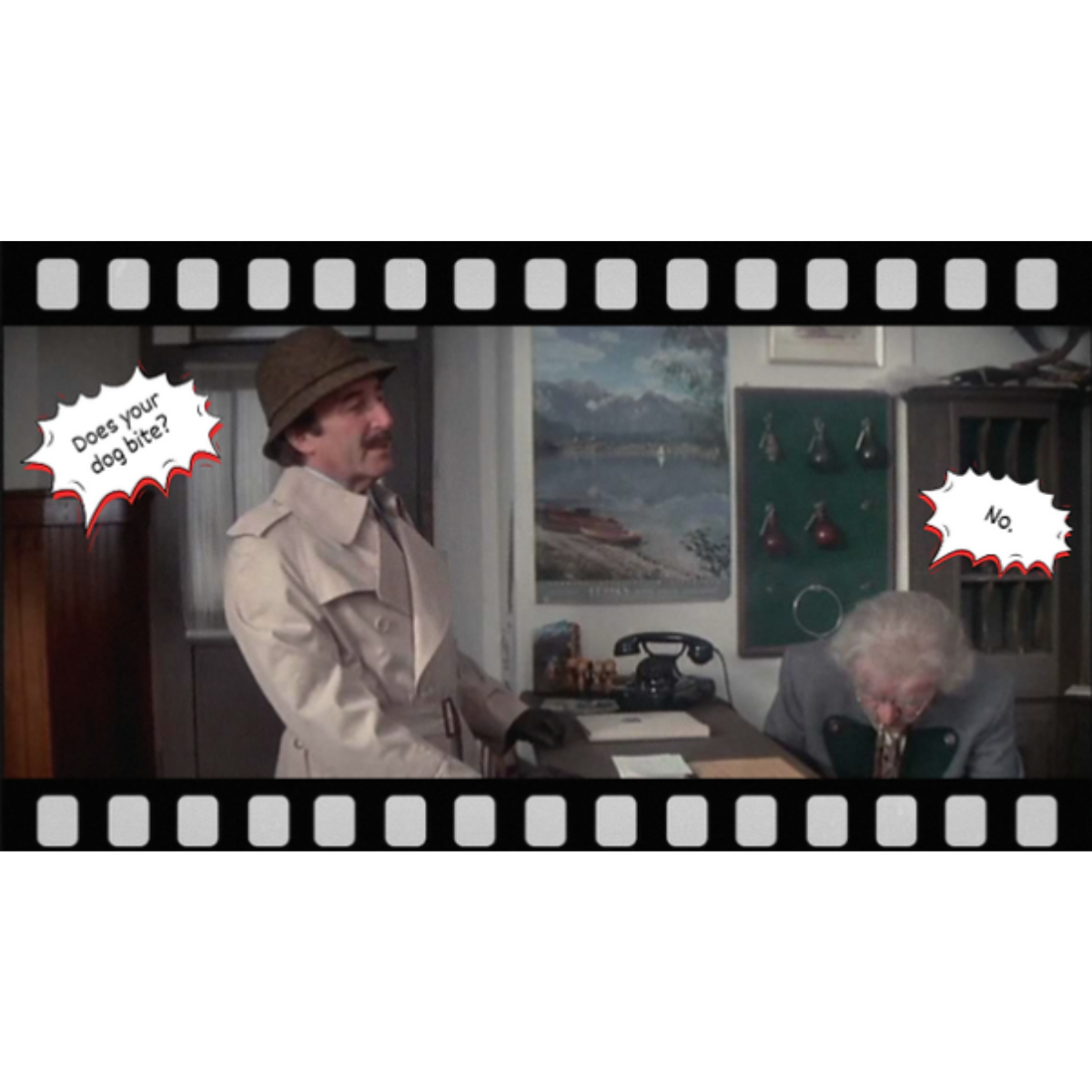
In The Pink Panther Strikes Again, Inspector Clouseau checks into a hotel and notices a little dog sitting near the front desk. He asks the hotel clerk, “Does your dog bite?” The clerk says, “No.” Clouseau pets the dog. The dog bites him.
“I thought you said your dog does not bite?”
“That is not my dog.”
That is the problem with a lot of accessibility marketing in eLearning. A vendor shows beautiful, interactive courses. The vendor says its platform can support accessibility. The buyer assumes the demo course is accessible, the product will enforce accessibility, and the resulting courseware will pass review.
Then the dog bites.
Because the fine print often says something very different: the author can make it accessible, the author should follow the checklist, the author must understand the standard, the author must avoid certain interactions, and the author is responsible for how the course is built.
The real question is simple.
Is accessibility system-enforced — or author-dependent?
Three accessibility marketing traps
When accessibility is author-dependent, the language usually takes one of three forms.
1. “You need to be the expert.”
The product may be capable of producing accessible output, but only if the author knows exactly what to do on every page, with every interaction, every media item, and every navigation decision.
2. “Just use the checklist.”
A checklist can be helpful, but it is not a system. If the author must remember every rule, every time, across every page, accessibility is not built in. It is manually attempted.
3. “We have a VPAT.”
A VPAT matters, but it is not a magic certificate. The important question is what the VPAT says about the product’s actual output — and what it quietly leaves to the author.
Deception 1
“You need to be the expert.”
One common accessibility dodge is simple: the vendor says the product can be used to create accessible eLearning, but the author must understand and correctly apply the accessibility standard.
That sounds reasonable until you think about what it means. If the author is not already an accessibility expert — and most SMEs are not — then the author must somehow learn Section 508, WCAG, keyboard behavior, focus order, screen reader behavior, media requirements, color contrast, form labeling, alternate text, semantic structure, and interaction design before producing a course that can pass review.
Translation: If you do everything right, you can possibly create a compliant course. Good luck.
Any authoring platform that relies on phrases like “the course developer can” or “the author has the ability to” should raise a red flag. Capability is not enforcement. Possibility is not compliance.
Everyone has the ability to buy lumber, wire, plumbing, and drywall. That does not mean everyone should build their own house.
Deception 2
“All you need is a checklist.”
Checklists sound reassuring. They imply that accessibility is a simple matter of following a list. But in a complex eLearning course, every page, interaction, media element, assessment, navigation control, and update can create a new accessibility decision.
- Great, there is an accessibility checklist.
- Wait — the checklist is long and says it is not comprehensive.
- So the author must apply it to every page and every interaction?
- And remember it again every time the course is edited?
- That is not accessibility built in. That is risk transferred to the author.
A checklist may help an expert review a course. It does not make a non-expert author into an accessibility engineer. When accessibility depends on perfect checklist execution, the system has not solved the problem.
Deception 3
“We have a VPAT.”
A VPAT — a Voluntary Product Accessibility Template — is important. It can help buyers understand how a product supports accessibility requirements. But the existence of a VPAT does not mean every course created with that product will be accessible.
The question is not simply, “Do you have a VPAT?” The better question is: What does the VPAT actually say, and where does it place responsibility?
Look for phrases like “authors can,” “developers may,” “the course creator should,” “broadly supports,” or “partially supports.” Those phrases may signal that accessibility is possible only if the author makes the right decisions.
That distinction matters. “The product can support accessibility” is not the same as “the system enforces accessible courseware.” A VPAT can describe product capability while still leaving the course output dependent on author behavior.
Do not confuse the demo with the compliant output.
Many eLearning demos look like mini-movies: slick animation, auto-advance behavior, custom navigation, visual interactions, and unusual question types. The problem is that some of the same design patterns that look impressive in a demo can create accessibility problems in production courseware.
That is where the bait-and-switch can happen. The demo shows one thing. The VPAT, help documentation, or accessibility checklist tells the author not to do that thing — or tells the author how to manually repair the damage.
If the marketing shows you one thing and the accessibility documentation quietly tells you another, pay attention.
Author-dependent accessibility vs. system-enforced accessibility
Author-dependent
- The author must understand the standard.
- The author must apply every checklist item.
- The author must know which interactions to avoid.
- The author owns the accessibility risk.
- The course may be compliant only if every decision is correct.
System-enforced
- The system constrains authors to accessible patterns.
- Accessibility analysis is part of the workflow.
- Publishing can be governed by accessibility checks.
- SMEs can contribute without becoming accessibility engineers.
- The output is built to be accessible, maintainable, and reviewable.
The CourseAvenue difference
CourseAvenue was built on a different premise: accessibility should be part of the courseware system, not a burden transferred to every author.
That matters because most organizations are not trying to train accessibility engineers. They are trying to educate employees, agencies, partners, customers, contractors, and other audiences on complex requirements. They need SMEs and program teams to contribute knowledge — without forcing those SMEs to master every technical layer of Section 508 and WCAG.
CourseAvenue helps move learning development closer to the source of expertise while keeping the output structured, reviewable, accessible, deliverable, and measurable.
CourseAvenue will guarantee the courses you output will be WCAG AA / Section 508 compliant.
If your CourseAvenue-created course is questioned for accessibility, we are right there with you.
Accessibility built into the courseware process
CourseAvenue includes accessibility features across authoring, review, delivery, and course maintenance.
- Built-in Accessibility Analysis for reviewing text, graphics, audio, and video.
- Keyboard-accessible navigation controls.
- Transcript support for narrated pages.
- Accessible media controls.
- Alternate text fields for media items.
- High-contrast course interface options.
- Accessible course menus and secondary windows.
- Form controls identifiable by assistive technology.
- Screen reader focus designed for logical progression.
- Review and publishing support for maintaining accessible courseware over time.
Do not settle for “the author can.”
Accessible courseware should not depend on every author becoming a Section 508 expert. CourseAvenue helps organizations create, review, deliver, maintain, and measure accessible education with accessibility built into the courseware process.